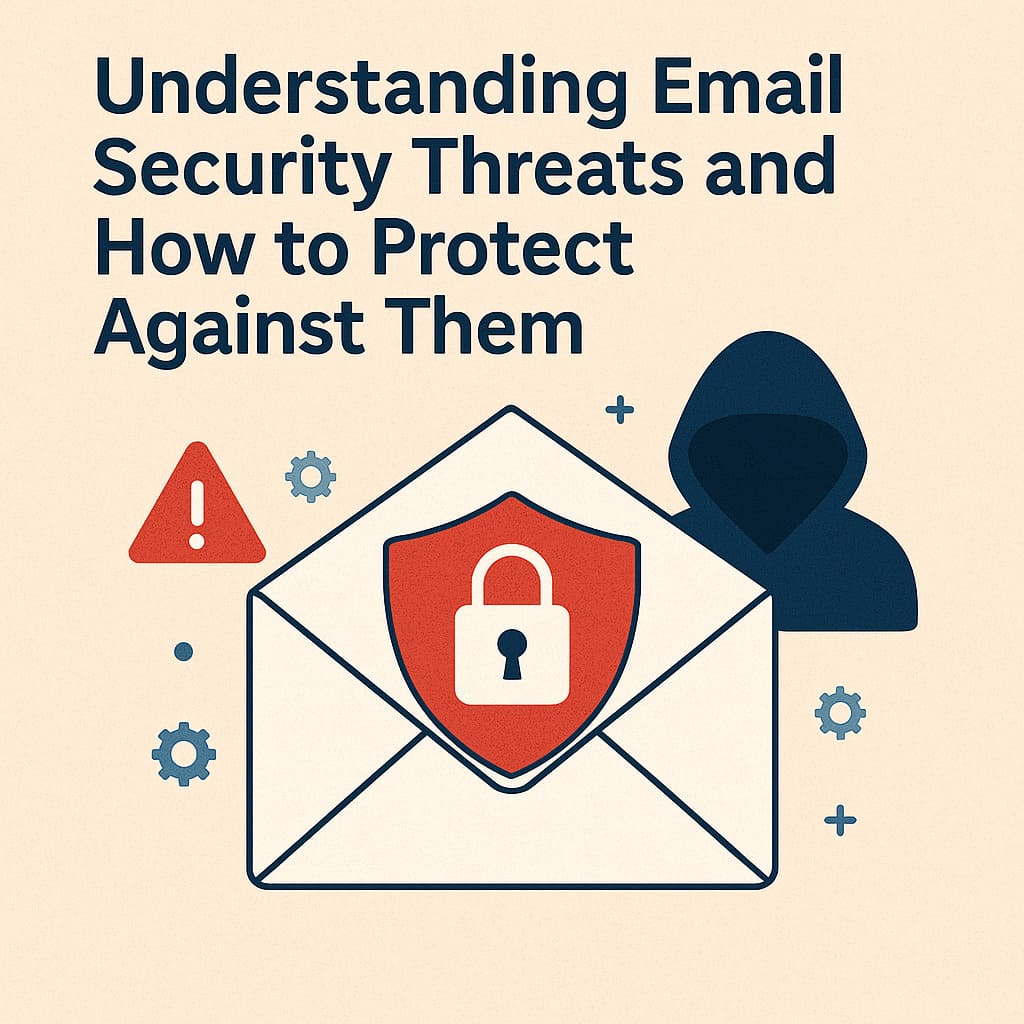
Email remains the backbone of business communication worldwide, with over 300 billion emails sent daily. However, this ubiquity makes email a prime target for cybercriminals. From sophisticated phishing attacks to malware distribution, email-based threats continue to evolve and pose significant risks to organizations of all sizes. This comprehensive guide explores the most common email security threats and provides actionable strategies to protect your business, employees, and data.
The Evolving Landscape of Email Security Threats
Email security threats have grown increasingly sophisticated over the years, evolving from obvious scams to highly targeted attacks that can be difficult to detect even for security-conscious users.
Why Email Is a Primary Attack Vector
Several factors make email an attractive attack vector for cybercriminals:
- Universal Usage: Email is used by virtually every organization and professional.
- Human Vulnerability: Email attacks exploit human psychology rather than just technical vulnerabilities.
- Rich Content Support: Modern emails can contain various types of content that can hide malicious elements.
- Authentication Challenges: Email protocols weren't originally designed with strong security in mind.
- Valuable Data Transit: Sensitive information is regularly shared via email.
Understanding these inherent vulnerabilities is the first step toward implementing effective protection measures. Tools like Email-Validation.co can help verify sender legitimacy, which is one component of a comprehensive security strategy.
Common Email Security Threats
1. Phishing Attacks
Phishing remains the most prevalent email-based threat, accounting for more than 80% of reported security incidents.
Types of Phishing Attacks:
- Generic Phishing: Mass-distributed emails impersonating trusted entities like banks, cloud services, or shipping companies.
- Spear Phishing: Targeted attacks customized for specific individuals, often using personal details gathered from social media or data breaches.
- Whaling: High-value targeted phishing specifically aimed at executives or other high-profile individuals with access to sensitive systems or authority to approve financial transactions.
- Clone Phishing: Replicating a legitimate email the recipient previously received but replacing links or attachments with malicious versions.
Phishing emails typically create a sense of urgency, fear, or curiosity to compel recipients to take immediate action without careful consideration.
2. Business Email Compromise (BEC)
BEC attacks involve compromising or impersonating business email accounts to conduct unauthorized transfers of funds or data.
Common BEC Scenarios:
- CEO Fraud: Impersonating an executive to request emergency wire transfers or sensitive information.
- Account Compromise: Gaining actual access to an email account and using it to request payments or changes to banking details.
- Attorney Impersonation: Pretending to be a lawyer or legal representative handling confidential or time-sensitive matters.
- Data Theft: Requesting sensitive data like employee tax information or customer records while posing as an authorized requester.
BEC attacks are particularly dangerous because they don't necessarily include malicious links or attachments that might trigger security systems—they weaponize trust and authority.
3. Malware Distribution
Email continues to be a primary delivery method for various types of malware.
Common Email-Delivered Malware:
- Ransomware: Encrypts victim's files and demands payment for decryption keys. Recent ransomware attacks have evolved to include data exfiltration threats.
- Trojans: Disguised as legitimate software but designed to create backdoors into systems or steal information.
- Keyloggers: Records keystrokes to capture passwords, credit card numbers, and other sensitive data.
- Spyware: Monitors user activity and steals sensitive information over time.
Malware is typically distributed through email attachments or by directing users to compromised websites through embedded links.
4. Spoofing and Impersonation
Email spoofing involves falsifying the sender's address to make a message appear as if it came from a trusted source.
Types of Email Spoofing:
- Domain Spoofing: Forging the email domain to exactly match a legitimate organization's domain.
- Display Name Spoofing: Using a recognizable display name while the actual email address is different.
- Lookalike Domains: Registering similar domains with subtle differences (e.g., company-inc.com instead of companyinc.com).
- Brand Impersonation: Using visual elements like logos and formatting to mimic legitimate brand communications.
Spoofing enables many of the other attacks mentioned and can be particularly effective when combined with social engineering tactics.
5. Account Takeover
Account takeover occurs when attackers gain unauthorized access to email accounts, often through credential theft.
Common Methods of Account Takeover:
- Credential Stuffing: Using leaked username/password combinations from other breaches to access email accounts.
- Brute Force Attacks: Systematically trying combinations of passwords until finding the correct one.
- Man-in-the-Middle Attacks: Intercepting communications between users and email servers to capture login credentials.
- Phishing for Credentials: Tricking users into entering their email credentials on fake login pages.
Once an account is compromised, attackers can access sensitive information, send emails as the legitimate user, or use the account to launch further attacks within an organization.
Comprehensive Email Security Protection Strategies
Protecting against email threats requires a multi-layered approach that combines technical solutions, organizational policies, and human awareness.
Technical Protections
1. Email Authentication Protocols
Implement authentication standards to verify sender legitimacy and prevent spoofing:
- SPF (Sender Policy Framework): Specifies which IP addresses are authorized to send email on behalf of your domain.
- DKIM (DomainKeys Identified Mail): Adds a digital signature to emails that can be validated to ensure the message hasn't been tampered with in transit.
- DMARC (Domain-based Message Authentication, Reporting & Conformance): Tells receiving mail servers what to do with messages that fail SPF or DKIM verification.
Proper implementation of these protocols helps prevent domain spoofing and improves overall email deliverability. Learn more about authentication on our How It Works page.
2. Advanced Email Filtering
Deploy sophisticated filtering solutions to identify and quarantine suspicious emails:
- Content Filtering: Analyzes email content for suspicious patterns, keywords, or code.
- URL Filtering: Checks embedded links against databases of known malicious websites.
- Attachment Scanning: Examines attachments for malware in sandboxed environments before delivery.
- Behavior-Based Detection: Uses machine learning to identify anomalous patterns that might indicate threats.
3. Email Validation and Verification
Implement tools to verify the legitimacy of email addresses and senders:
- Email Address Validation: Verify that incoming email addresses are properly formatted and come from legitimate domains with valid MX records.
- Sender Reputation Checking: Evaluate the sending IP's history and reputation before accepting messages.
- Domain Age Verification: Flag emails from newly registered domains, which are often used in phishing campaigns.
Services like Email-Validation.co can help verify the legitimacy of email addresses, reducing the risk of interaction with malicious senders.
4. Encryption and Data Loss Prevention
Protect sensitive information in transit and prevent unauthorized data exfiltration:
- TLS Encryption: Ensure all email traffic is encrypted in transit using Transport Layer Security.
- End-to-End Encryption: Implement solutions for encrypting sensitive emails so only intended recipients can decrypt them.
- Data Loss Prevention (DLP): Deploy systems that can identify and block unauthorized transmission of sensitive information.
- Digital Rights Management: Control what recipients can do with sensitive emails (e.g., preventing forwarding or downloading of attachments).
5. Multi-Factor Authentication (MFA)
Protect email accounts from unauthorized access even if credentials are compromised:
- App-Based Authentication: Use authenticator apps that generate time-based one-time passwords.
- Hardware Security Keys: Implement physical security keys for the highest level of protection.
- Biometric Authentication: Utilize fingerprint or facial recognition where appropriate.
- Risk-Based Authentication: Apply additional verification steps for logins from new locations or devices.
MFA is one of the most effective protections against account takeover, reducing the risk by over 99% according to recent studies.
Organizational Policies and Procedures
1. Comprehensive Email Security Policy
Develop clear guidelines for email usage and security:
- Acceptable Use Policies: Define what constitutes appropriate use of company email systems.
- Data Classification: Establish guidelines for what types of information can be sent via email.
- External Communication Rules: Create protocols for verifying requests for sensitive information or financial transactions.
- Password Policies: Implement strong password requirements and regular rotation schedules.
2. Verification Procedures for Sensitive Requests
Establish multi-channel verification for high-risk actions:
- Out-of-Band Verification: Require phone or in-person confirmation for wire transfers, banking changes, or data requests.
- Approval Workflows: Implement multi-person approval for sensitive actions.
- Transaction Limits: Set thresholds that trigger additional verification steps.
- Authorized Contact Lists: Maintain lists of verified contacts at partner organizations.
3. Email Incident Response Plan
Develop procedures for addressing email security incidents:
- Reporting Mechanisms: Create simple ways for employees to report suspicious emails.
- Incident Classification: Categorize different types of email threats and appropriate responses.
- Containment Procedures: Establish steps to limit damage from compromised accounts or successful attacks.
- Forensic Investigation: Define processes for preserving evidence and analyzing attack vectors.
- Communication Templates: Prepare notification templates for various stakeholders in case of incidents.
For more information about implementing effective security policies, visit our FAQ section.
Human-Centered Security Measures
1. Security Awareness Training
Educate employees about email threats and safe practices:
- Phishing Awareness: Train staff to identify suspicious emails and verification techniques.
- Social Engineering Recognition: Help employees understand manipulation tactics used by attackers.
- Safe Email Practices: Establish guidelines for handling attachments, links, and requests for information.
- Reporting Procedures: Train employees on how and when to report suspicious communications.
2. Simulated Phishing Exercises
Regularly test and reinforce security awareness:
- Targeted Simulations: Conduct realistic phishing tests tailored to different departments and roles.
- Progressive Difficulty: Gradually increase the sophistication of simulated attacks.
- Immediate Feedback: Provide educational content when employees fall for simulated phishing.
- Performance Metrics: Track improvement over time and identify areas needing additional training.
3. Security Culture Development
Foster an environment where security is everyone's responsibility:
- Executive Support: Ensure leadership visibly supports and follows security practices.
- Positive Reinforcement: Recognize and reward security-conscious behavior.
- Regular Communication: Maintain ongoing communication about emerging threats and best practices.
- Non-Punitive Reporting: Create a blame-free environment for reporting security concerns or mistakes.
Human awareness is often the last line of defense against sophisticated email threats that bypass technical controls.
Advanced Protection Strategies for High-Risk Environments
Organizations handling sensitive data or operating in regulated industries may need additional protections:
1. Zero Trust Email Security
Apply zero trust principles to email communications:
- Default Suspicion: Treat all emails as potentially malicious until verified.
- Link Transformation: Rewrite all links to pass through security scanning before users can access destinations.
- Attachment Isolation: Open attachments in secure, isolated environments rather than on user devices.
- Time-of-Click Protection: Re-scan links at the time of clicking rather than only at delivery.
2. Specialized Solutions for High-Value Targets
Implement additional protections for executives and privileged users:
- Enhanced Monitoring: Apply stricter filtering and monitoring for high-value targets.
- Separate Email Systems: Consider dedicated, isolated email environments for sensitive communications.
- Digital Bodyguards: Implement human review of suspicious messages for key executives.
- Domain Monitoring: Actively monitor for lookalike domain registrations targeting your organization.
3. Supply Chain Email Security
Extend security considerations to your business ecosystem:
- Vendor Security Requirements: Establish minimum security standards for partners with email access.
- Secure Communication Channels: Implement alternative secure channels for sensitive vendor communications.
- Vendor Email Authentication: Verify that partners implement proper email authentication protocols.
- Third-Party Risk Assessment: Regularly evaluate the email security posture of key business partners.
For more information about advanced security implementations, check our Documentation for integration guidelines.
Measuring Email Security Effectiveness
Regularly assess your email security posture to identify gaps and improvements:
Key Metrics to Track
- Threat Detection Rate: Percentage of malicious emails successfully identified and blocked.
- False Positive/Negative Rates: Accuracy of your security systems in correctly classifying emails.
- Mean Time to Detect (MTTD): Average time between a threat arriving and being identified.
- Mean Time to Respond (MTTR): Average time between detection and complete remediation.
- Phishing Simulation Success Rate: Percentage of employees who recognize and properly report simulated phishing attempts.
- Security Awareness Scores: Results from security knowledge assessments and training completion rates.
Regular Security Assessments
Conduct periodic evaluations of your email security posture:
- External Penetration Testing: Engage security professionals to attempt to breach your email defenses.
- Configuration Audits: Regularly review and validate email security configurations.
- Policy Compliance Checks: Verify that established security policies are being followed.
- Threat Hunting: Proactively search for indicators of compromise within your email environment.
Emerging Email Security Threats and Trends
Stay ahead of evolving threats by understanding emerging trends:
1. AI-Powered Attacks
Artificial intelligence is transforming email-based threats:
- Deepfake Communications: AI-generated voice or video content used to impersonate executives in targeted attacks.
- Adaptive Phishing: Machine learning systems that can craft and adjust phishing content based on success rates.
- Behavior Mimicry: AI systems that study and replicate writing styles of compromised accounts.
- Automated Vulnerability Exploitation: AI systems that can identify and exploit security weaknesses at scale.
2. Mobile-Focused Email Attacks
With increasing mobile email usage comes specialized threats:
- Limited-View Exploits: Attacks designed to hide malicious content when viewed on mobile devices with smaller screens.
- Mobile App Spoofing: Phishing that mimics mobile email app interfaces rather than traditional webpages.
- Cross-Application Attacks: Exploiting the integration between email and other mobile apps.
- SMS/Email Hybrid Attacks: Coordinated campaigns that use both text messages and emails to increase credibility.
3. Supply Chain Compromise
Attackers increasingly target the broader email ecosystem:
- Email Service Provider Breaches: Compromising email vendors to access customer communications.
- Email Security Tool Exploitation: Targeting vulnerabilities in security solutions themselves.
- Certificate Authority Attacks: Undermining the infrastructure that supports email encryption and authentication.
- Open Source Component Vulnerabilities: Exploiting weaknesses in widely-used email components and libraries.
Stay informed about emerging threats by regularly checking our Blog for the latest security updates and best practices.
Case Study: Email Security Transformation
To illustrate the impact of comprehensive email security, consider this real-world example:
Background
A mid-sized financial services firm with 250 employees was experiencing frequent email security incidents:
- Multiple successful phishing attacks resulting in credential theft
- One significant BEC incident resulting in a fraudulent wire transfer of $175,000
- Regular malware infections originating from email attachments
- Increasing spam volume hampering productivity
Solution Implemented
The company adopted a comprehensive email security approach:
- Implemented SPF, DKIM, and DMARC with enforcement policies
- Deployed advanced email filtering with sandboxing capabilities
- Established email validation processes using Email-Validation.co
- Required MFA for all email accounts
- Developed explicit verification procedures for financial requests
- Conducted monthly security awareness training with simulated phishing
- Created an incident response playbook for email-based attacks
Results
After six months, the company experienced significant improvements:
- 95% reduction in phishing emails reaching employee inboxes
- No successful business email compromise attacks
- Malware incidents from email reduced by 87%
- 62% decrease in time spent dealing with unwanted emails
- Improved regulatory compliance posture
- Employee phishing test failure rate decreased from 24% to 4%
These improvements translated to an estimated annual savings of $320,000 in prevented fraud, reduced downtime, and increased productivity.
Conclusion: A Layered Approach to Email Security
Email security is not achieved through any single solution but requires a comprehensive, layered approach combining technology, policies, and human awareness. As threats continue to evolve, organizations must regularly reassess and update their email security strategies.
Start by evaluating your current email security posture against the threats and protections described in this guide. Identify gaps in your technical controls, policies, or training programs, and develop a prioritized roadmap for addressing them.
Remember that even the most sophisticated technical defenses can be circumvented if users aren't properly trained or if policies aren't consistently enforced. Similarly, well-trained users still need robust technical protections to defend against advanced threats.
By implementing a balanced, multi-layered approach to email security, you can significantly reduce your organization's risk exposure while ensuring email remains a productive and reliable communication channel.
For assistance with email validation as part of your security strategy, explore Email-Validation.co's solutions. Our services can help verify sender legitimacy and provide an additional layer of protection against email-based threats. Check our Pricing page for options that match your organization's needs.